

Wireless Security Camera System Not Recording
A reliable surveillance setup depends heavily on uninterrupted recording. Whether you are protecting a residential property or monitoring commercial premises, a properly functioning wireless security camera system ensures that every important event is captured and stored for future review. Modern cameras play a crucial role in deterring intruders, monitoring deliveries, safeguarding assets and providing valuable evidence in the event of theft, vandalism or unauthorized access. However, when a wireless security camera system not recording issue arises, it can leave significant gaps in your security coverage and compromise the safety of your property.
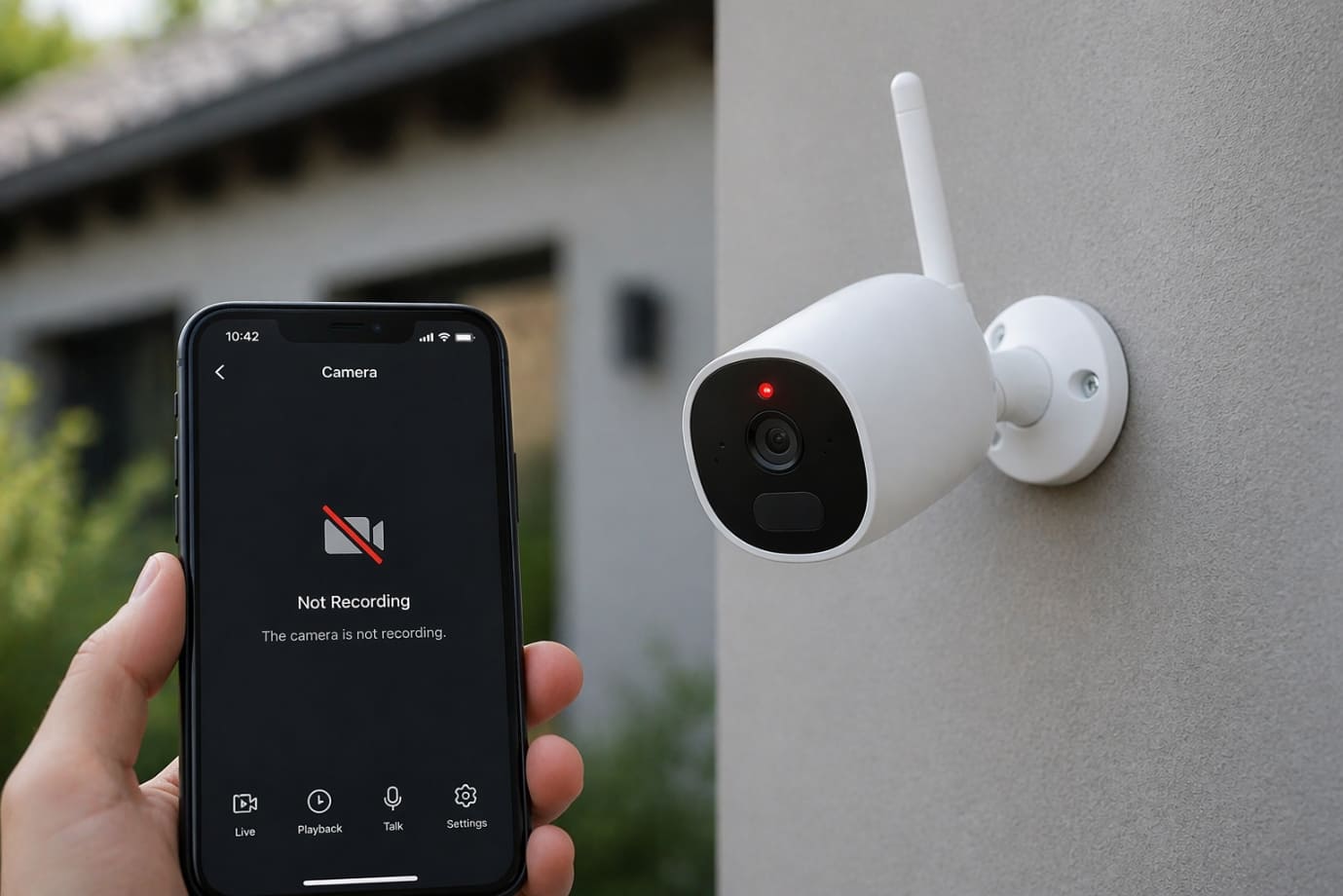
Many users only discover a recording problem after an incident has occurred, making the situation even more frustrating. Missing footage can prevent homeowners and business owners from identifying suspicious activity, resolving disputes or providing evidence to law enforcement. If your security camera system stopped recording, the consequences can range from minor inconveniences to serious security risks.
There are several reasons why a wireless camera system does not record as expected. Common causes include storage device failures, corrupted SD cards, expired cloud subscriptions, unstable internet connections, power interruptions, incorrect recording settings, or outdated firmware. Fortunately, most of these issues can be diagnosed and resolved with the right approach.
In this blog, we will explore the most common reasons for wireless security camera system not recording and provide practical troubleshooting steps along with professional solutions to help restore your camera system to peak performance.
Why Is Your Wireless Security Camera Not Recording?
A properly functioning security camera is designed to continuously monitor and record activities around your property. However, there are times when a wireless security camera system not recording can leave you without the footage you need most. Whether you rely on outdoors security cameras for home protection or a comprehensive surveillance setup for your business, recording failures can create serious security vulnerabilities.
-
Common Recording Failures
Some of the most frequent issues associated with a wireless security camera system not recording include:
-
- The camera is not recording any footage at all.
- Motion-triggered events are not being captured.
- Critical footage is missing during important incidents.
- Recording starts and stops unexpectedly.
- Video clips fail to save to local or cloud storage.
- The security camera system records intermittently instead of continuously.
- Outdoors security cameras lose connection and fail to store recordings.
Signs Your Security Camera System Has Stopped Recording
If you suspect your security camera stopped recording, watch for these warning signs:
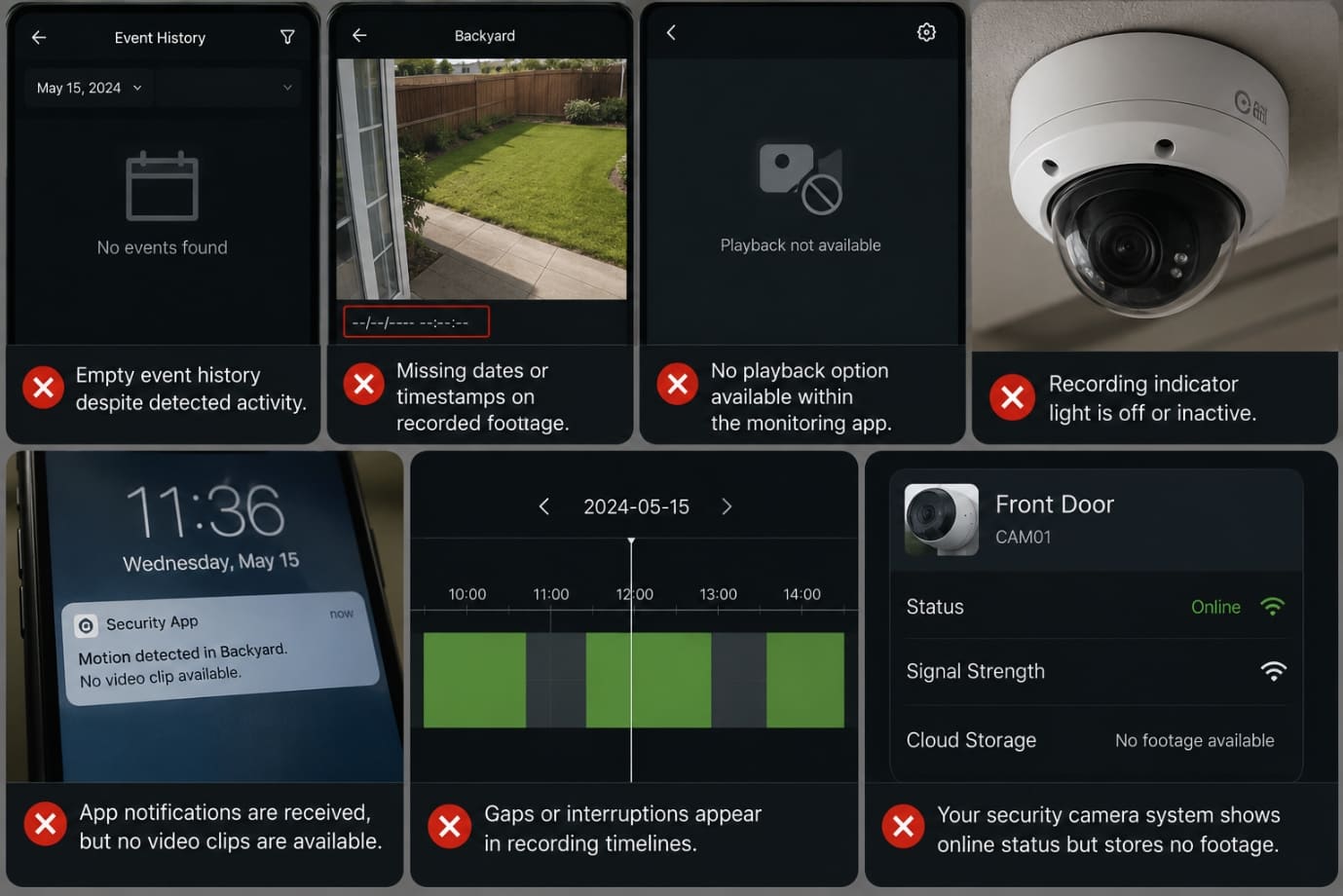
- Empty event history despite detected activity.
- Missing dates or timestamps on recorded footage.
- No playback option available within the monitoring app.
- Recording indicator light is off or inactive.
- App notifications are received, but no video clips are available.
- Gaps or interruptions appear in recording timelines.
- Your security camera system shows online status but stores no footage.
Recognizing these symptoms early can help you troubleshoot why your wireless camera system does not record and restore reliable surveillance before a security incident occurs.
Common Reasons Your Wireless Security Camera System Is Not Recording
If your wireless security camera system is not recording footage, you are not alone. Many homeowners and businesses experience situations where their security camera stopped recording unexpectedly, leaving important events undocumented. A modern camera depends on stable internet connectivity, reliable storage, sufficient power and proper configuration to function correctly. When even one of these components fails, a camera will not record as intended. Understanding the most common causes can help you quickly restore your surveillance coverage and ensure your outdoors security cameras continue protecting your property.
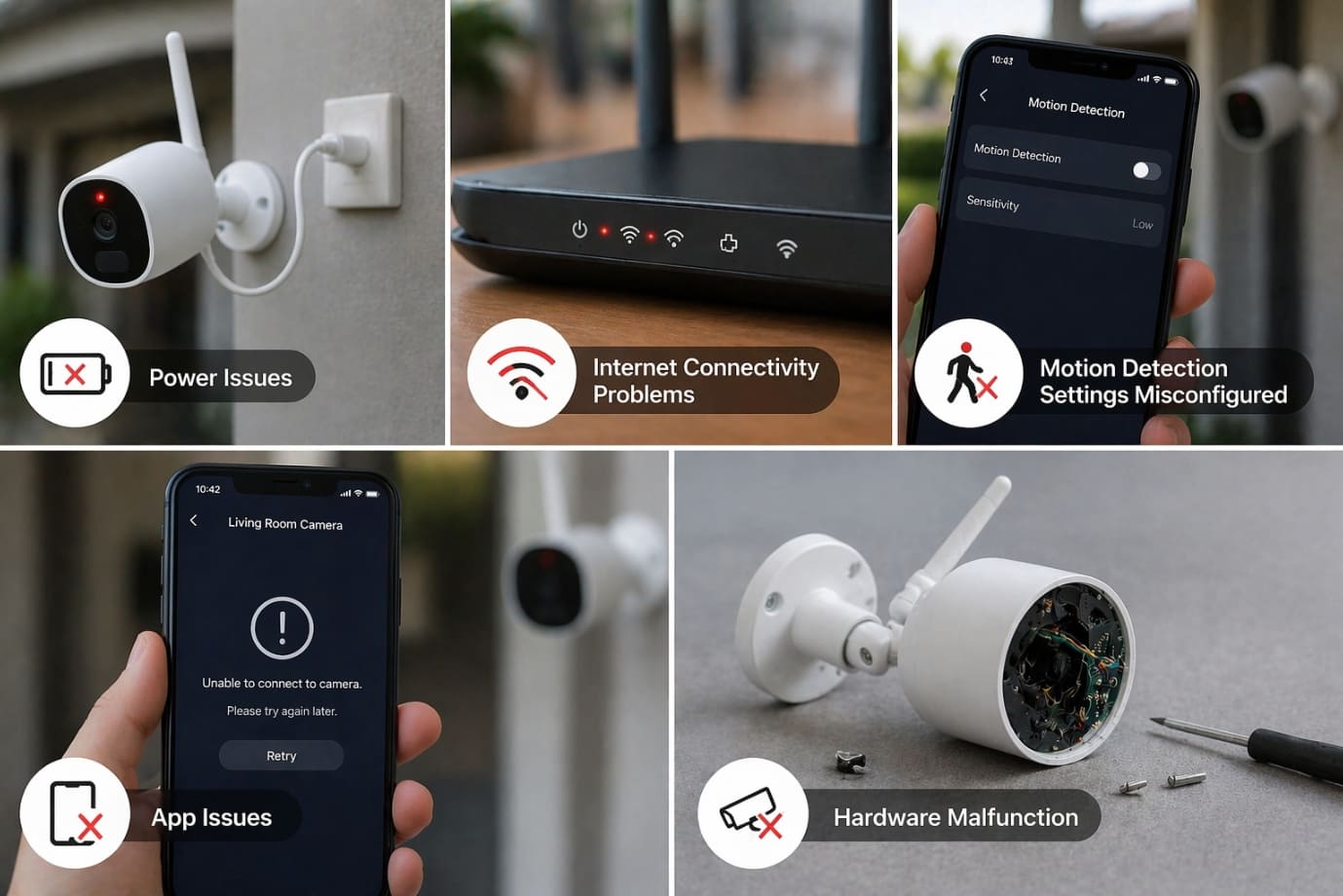
Internet Connectivity Problems
One of the most common reasons for not recording footage is poor internet connectivity. Since a wireless camera system relies on network communication, weak Wi-Fi signals can interrupt recording and prevent footage from being saved.
Common connectivity issues include:
- Weak Wi-Fi signals reaching the camera.
- Frequent network interruptions.
- Incorrect router configurations.
- Excessive bandwidth usage from other devices.
Quick Fixes
- Restart your router and modem.
- Reconnect the camera to the network.
- Move your security cameras closer to the Wi-Fi source.
- Install a Wi-Fi range extender.
Full or Corrupted SD Card
If your wireless camera system does not record, storage problems should be among the first things you check. Most cameras use SD cards to store recordings locally. Once the storage becomes full or corrupted, the camera may stop recording new footage.
Common symptoms include:
- Missing recordings.
- Playback errors.
- Recording failures despite motion detection.
Solutions
- Format the SD card.
- Replace damaged storage media.
- Upgrade to a larger-capacity SD card.
Cloud Storage Subscription Expired
Many modern outdoors security cameras rely on cloud storage services. If the cloud subscription expires, the camera system may continue detecting motion but fail to save footage.
Signs include:
- Missing video recordings.
- Empty event history.
- No access to stored clips.
Fix
- Verify subscription status.
- Renew the cloud storage plan.
- Check cloud recording settings.
Motion Detection Settings Misconfigured
A wireless security camera system not recording motion events may simply be suffering from incorrect detection settings. Poor configuration can prevent the camera from triggering recordings when activity occurs.
Common causes include:
- Detection zones excluding key areas.
- Sensitivity settings those are too low.
- Restricted recording schedules.
How to Adjust Motion Detection
- Configure motion zones correctly.
- Increase motion sensitivity.
- Review recording schedules.
Power Supply Problems
A camera system requires a stable power source to record continuously. Battery-operated and wireless units are particularly vulnerable to power-related issues.
Common power problems include:
- Dead batteries.
- Loose power connections.
- Faulty power adapters.
Troubleshooting Steps
- Recharge or replace batteries.
- Test power outlets.
- Inspect power cables and connectors.
Outdated Camera Firmware
Firmware controls how your camera system operates. When firmware becomes outdated, bugs and compatibility issues may develop, resulting in not recording issue.
Problems caused by outdated firmware include:
- Recording failures.
- Connectivity interruptions.
- Storage synchronization issues.
Solution
- Install the latest firmware updates.
- Enable automatic updates.
- Check for manufacturer software patches regularly.
Camera App or Software Glitches
Sometimes the issue is not the camera itself but the software managing the camera system. Mobile apps and monitoring platforms occasionally develop bugs that interfere with recording functions.
Potential issues include:
- App crashes.
- Recording management errors.
- Synchronization failures.
Fixes
- Clear app cache and data.
- Reinstall the application.
- Reconnect and sync devices.
Incorrect Recording Schedule Settings
Many users unknowingly disable recording schedules while adjusting settings. As a result, the wireless security camera system only records during limited periods or not at all.
Common scheduling mistakes include:
- Recording disabled accidentally.
- Holiday schedules overriding normal settings.
- Incorrect time zone configuration.
Solution
- Verify the recording calendar.
- Review all active schedules.
- Restore default settings if necessary.
Hardware Failure
Hardware failure is often responsible when a wireless camera system does not record despite all settings appearing correct. Over time, camera components naturally wear out.
Common hardware problems include:
- Sensor damage.
- Internal memory failure.
- Circuit board deterioration.
- Network module malfunction.
Signs You Need Professional Help
- Repeated recording failures.
- Visible physical damage.
- Persistent storage errors.
- Continuous performance issues.
Environmental Factors Affecting Performance
Environmental conditions can significantly impact outdoors security cameras and overall performance. Exposure to harsh conditions may lead to recording interruptions and hardware degradation.
Common environmental challenges include:
- Heavy rain and storms.
- Extreme heat or freezing temperatures.
- Dust and moisture buildup.
- Wireless signal interference.
Prevention Tips
- Install weatherproof housings.
- Position the cameras strategically.
- Protect cameras from direct environmental exposure.
- Perform routine maintenance inspections.
Harsh environmental conditions often contribute to situations where a wireless camera system does not record consistently.
By identifying these common causes, you can quickly diagnose why your wireless security camera system not recording footage and take corrective action. Whether the issue involves connectivity, storage, power, software or environmental factors, maintaining and regularly inspecting your cameras can help prevent future recording failures and ensure reliable security coverage.
How to Troubleshoot a Wireless Security Camera System That Is Not Recording
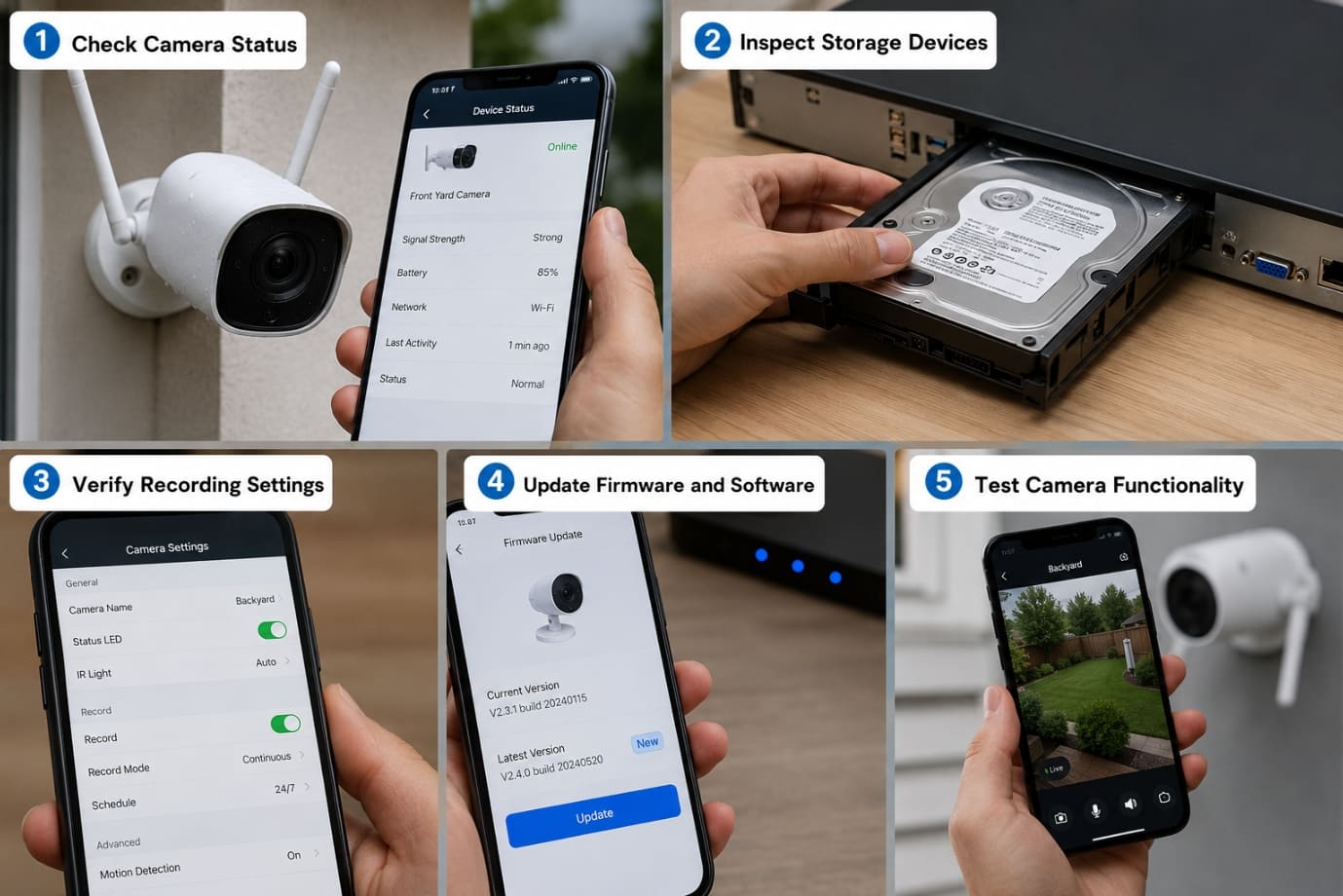
When a wireless security camera system stopped recording footage, it is important to follow a structured troubleshooting process to identify the root cause. The following steps will help you diagnose and resolve common issues affecting your camera system.
-
Check Camera Status
Start by verifying that your camera system is powered on and connected to the network.
-
- Check power indicator lights to ensure the camera is receiving power.
- Confirm the network connection status through the camera app.
- Look for offline notifications or Wi-Fi connectivity errors.
- Ensure your outdoors security cameras are within range of the wireless network.
-
Inspect Storage Devices
Storage issues are one of the most common reasons a wireless camera system does not record footage.
-
- Check the health of the SD card for corruption or damage.
- Verify NVR compatibility if your camera system uses network video recording.
- Review available storage space and delete unnecessary files if needed.
- Replace faulty storage devices when necessary.
-
Verify Recording Settings
Incorrect settings can make it appear that a security camera system stopped recording.
-
- Confirm that continuous recording is enabled.
- Check motion-triggered recording settings.
- Review recording schedules and time-zone settings.
- Ensure recording modes match your security requirements.
-
Update Firmware and Software
Outdated firmware can contribute to a wireless security camera system not recording properly.
-
- Install the latest firmware updates.
- Update mobile apps and monitoring software.
- Enable automatic updates whenever possible.
-
Test Camera Functionality
After making adjustments, test your camera system to verify that recording has resumed.
-
- Trigger a motion event.
- Review recorded footage.
- Confirm clips are saved to local or cloud storage.
- Check playback functionality.
Following this checklist can quickly reveal why a wireless camera system does not record and help resolve issues before they compromise the performance of your camera. If your camera does not record despite completing these steps, professional diagnosis may be required.
How to Prevent Future Security Camera Recording Issues
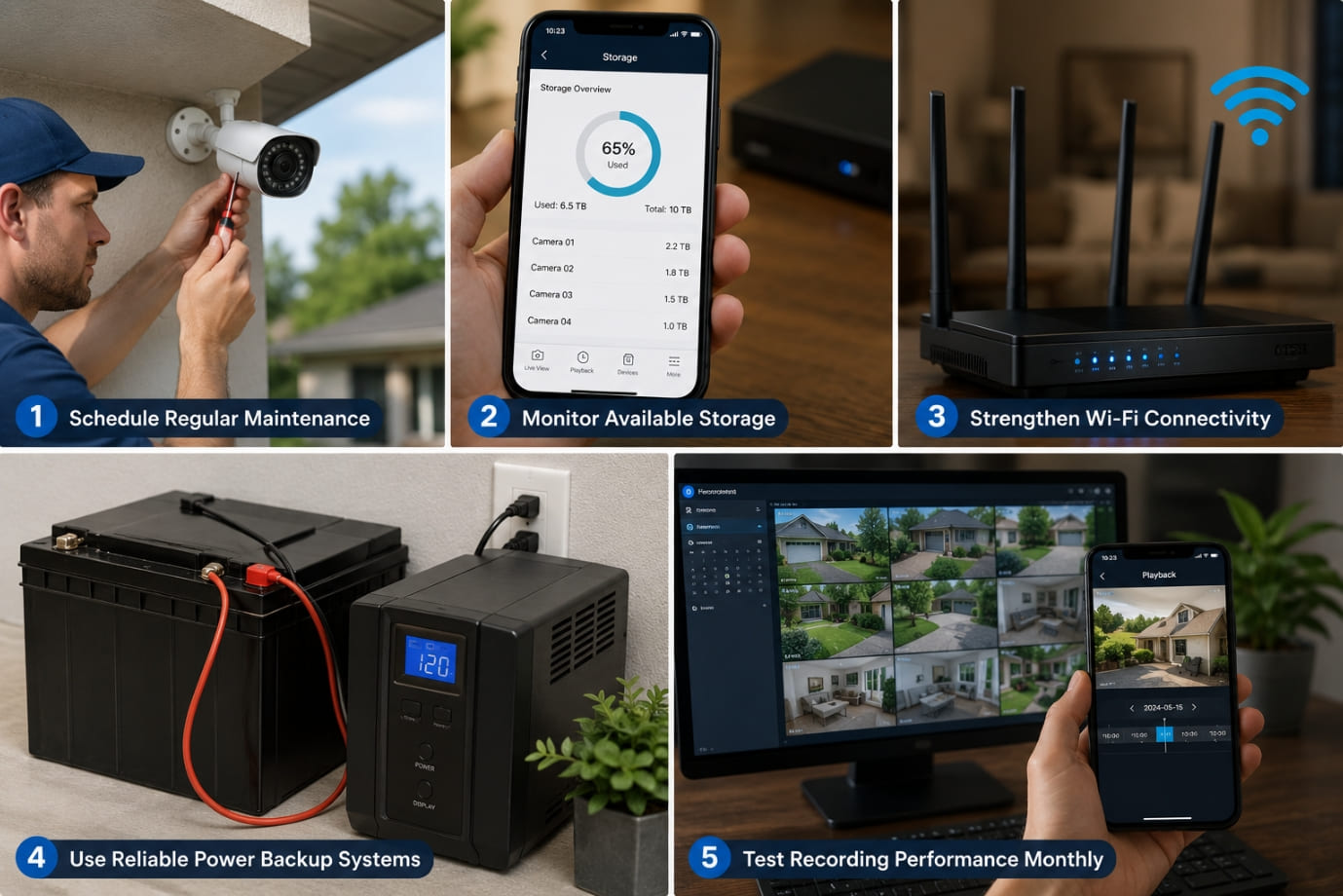
A wireless security camera system not recording can create serious security gaps and leave important incidents undocumented. Fortunately, a few preventive measures can help ensure your camera system records reliably and reduce the chances of your camera not recording unexpectedly.
-
Schedule Regular Maintenance:
Routine maintenance helps keep your camera system in optimal condition. Regularly update firmware, inspect storage devices and check for signs of wear or damage. This is especially important for outdoors security cameras, which are exposed to weather and environmental factors.
-
Monitor Available Storage:
Insufficient storage is a common reason a wireless camera system does not record new footage. Check your SD card, NVR or cloud storage regularly to ensure enough space is available for recordings. Replacing or upgrading storage devices when needed can prevent recording interruptions.
-
Strengthen Wi-Fi Connectivity:
A stable internet connection is essential for wireless surveillance. Weak signals or network interruptions can cause a wireless security camera system not recording Position cameras within Wi-Fi range and use extenders if necessary to maintain reliable connectivity.
-
Use Reliable Power Backup Systems:
Power outages can instantly cause a security camera system stopped recording Installing a UPS or backup battery system helps keep your camera operational during unexpected power failures and minimizes recording gaps.
-
Test Recording Performance Monthly:
Regular testing ensures your overall camera system is functioning properly. Review recorded footage, test motion detection and confirm that videos are being saved correctly. Monthly checks can help identify issues before your wireless camera system stops recording during a critical event.
Why Professional Security Camera Repair and Maintenance Services Matter
When a wireless security camera system not recording issue persists despite basic troubleshooting, professional repair and maintenance services can provide a faster and more reliable solution. While some recording problems can be resolved through simple adjustments, complex issues involving hardware failures, network disruptions or storage corruption often require expert attention. If your security camera system stopped recording unexpectedly, professional experts like us can accurately diagnose the root cause and restore your surveillance system’s performance.
-
Benefits of Expert Diagnosis
One of the biggest advantages of hiring professionals is faster problem identification. Experienced technicians can quickly assess your camera system and determine whether the issue is related to connectivity, storage, software or hardware. This reduces downtime and helps restore recording functionality before security gaps become a serious concern.
Professional services also ensure proper system optimization. Technicians can fine-tune recording settings, improve network performance and verify that your outdoors security cameras are positioned and configured correctly for maximum coverage and reliability.
-
Services Professionals Typically Offer
Security camera specialists provide a wide range of services designed to keep your camera system operating efficiently, including:
-
- Comprehensive camera inspections to identify faults and performance issues.
- Network diagnostics to resolve Wi-Fi and connectivity problems.
- Storage recovery for lost or inaccessible recordings.
- Firmware management to ensure devices run the latest software versions.
- System upgrades to improve performance, storage capacity and security features.
Whether your wireless security camera system not recording issue is caused by a technical malfunction or an aging surveillance setup, professional maintenance can help extend the lifespan of your camera system and continues to deliver reliable protection.
FAQs
Q1. What should I do if my wireless security camera system stopped recording suddenly?
- If your wireless security camera system stopped recording, start by checking the power supply, internet connection, storage capacity and recording schedule. Many recording issues can be resolved through basic troubleshooting before professional repair becomes necessary.
Q2. Why my wireless camera system does not record motion events?
- When a wireless camera system does not record motion events, the problem is often related to motion detection settings. Low sensitivity levels, incorrectly configured detection zones or disabled motion recording schedules can prevent your security camera system from capturing activity.
Q3. How can I tell if storage issues are causing my wireless security camera system not recording problem?
- If your wireless security camera system not recording issue is storage-related, you may notice missing footage, playback errors or warning notifications about low storage space. Inspecting the SD card, NVR or cloud storage account can help identify the problem.
Q4. How often should I maintain my camera system to avoid recording failures?
- Regular maintenance should be performed at least every few months. Updating firmware, checking storage devices, cleaning outdoors security cameras, and testing recording functionality can help prevent situations where your camera stopped recording unexpectedly.
Q5. Why are my outdoors security cameras online but not saving footage?
- If your outdoors security cameras appear online but recordings are missing, the issue may involve storage limitations, cloud subscription expiration, incorrect recording settings or corrupted memory cards. Reviewing these settings can often resolve the problem.
Conclusion
A wireless security camera system not recording can be a serious concern for homeowners and businesses that rely on continuous surveillance for safety and security. Missing footage can leave critical incidents undocumented, making it essential to identify and resolve recording problems as quickly as possible. In most cases, a security camera system stopped recording due to common issues such as poor internet connectivity, insufficient storage space, power interruptions, outdated firmware or incorrect recording settings.
Fortunately, many situations where a wireless camera system does not record can be resolved through basic troubleshooting. Checking network connections, inspecting storage devices, verifying recording schedules, and updating software are often enough to restore normal functionality. Regular maintenance of your camera system, including firmware updates, storage inspections and performance testing, can also help prevent future recording failures and ensure your cameras continue operating reliably.
However, if your wireless security camera system not recording issue persists after troubleshooting, the problem may be related to hardware failure, advanced network complications or system configuration errors. In such cases, professional assistance is highly recommended to avoid extended downtime and potential security risks.
You can contact the official support team of your camera brand or reach out to us for quicker response using the support number provided on our Homepage. Our experienced professionals can quickly diagnose your camera system, repair recording issues, optimize your outdoors security cameras and restore reliable surveillance coverage to keep your property protected 24/7.
 Call Voice Support